openclaw安装
安装
- 脚本安装
- npm安装
- 源码安装
curl -fsSL https://openclaw.ai/install.sh | bash
npm install -g openclaw@latest
克隆代码并构建
git clone https://github.com/openclaw/openclaw.git
cd openclaw
pnpm install
pnpm ui:build
pnpm build
链接cli命令
pnpm link --global
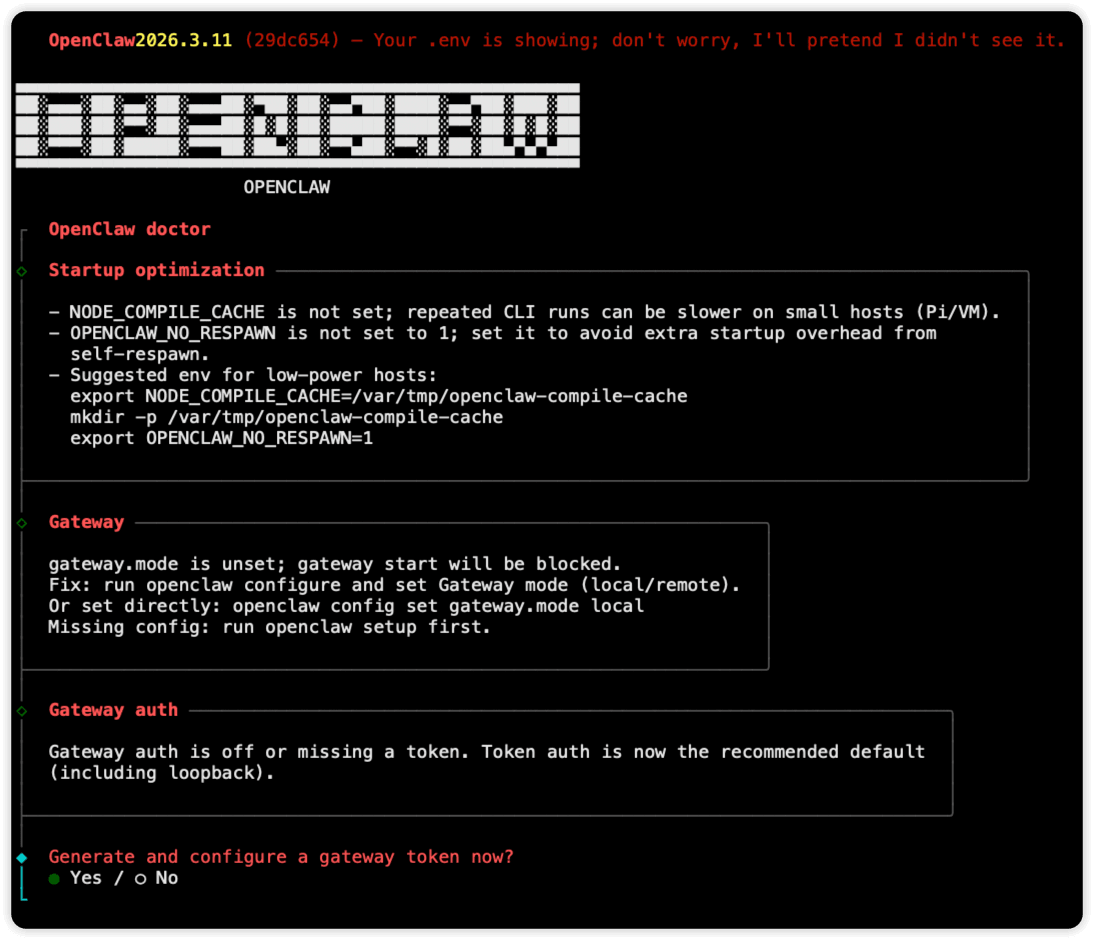
运行onboarding
openclaw onboard --install-daemon
出现以下界面,按照提示下一步即可
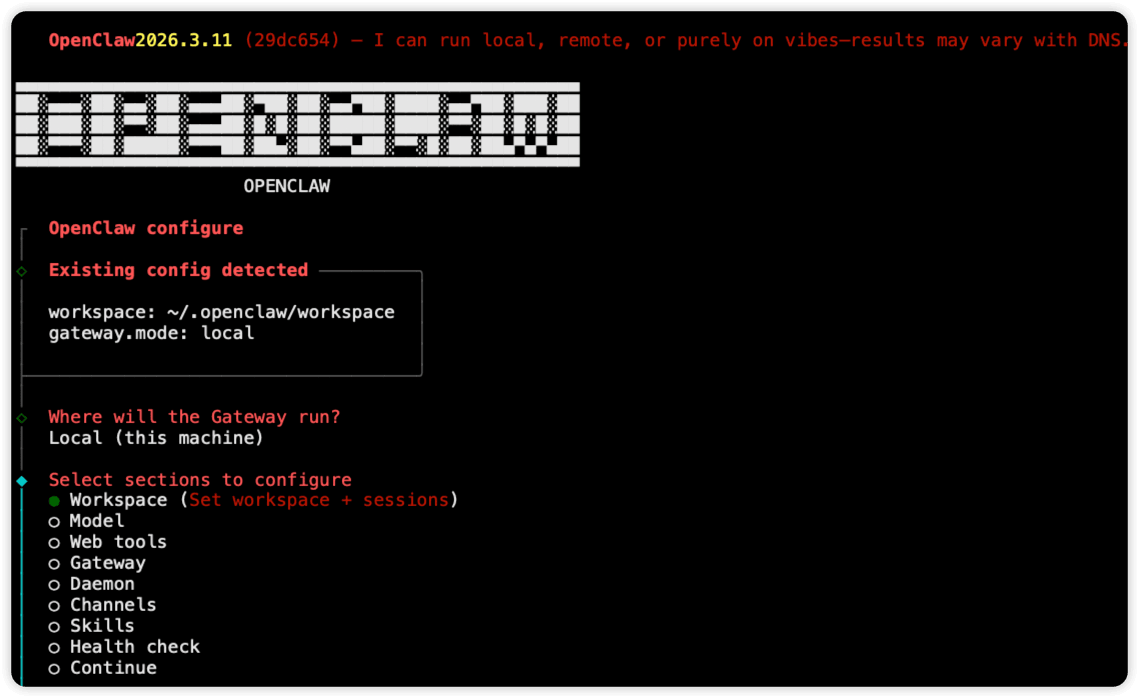
配置
进行配置
openclaw configure
启动服务
启动gateway
openclaw gateway
输出
🦞 OpenClaw 2026.3.11 (29dc654) — Like having a senior engineer on call, except I don't bill hourly or sigh audibly.

10:37:53 [canvas] host mounted at http://127.0.0.1:18789/__openclaw__/canvas/ (root /root/.openclaw/canvas)
10:37:53 [heartbeat] started
10:37:53 [health-monitor] started (interval: 300s, startup-grace: 60s, channel-connect-grace: 120s)
10:37:53 [gateway] agent model: anthropic/claude-opus-4-6
10:37:53 [gateway] listening on ws://127.0.0.1:18789, ws://[::1]:18789 (PID 207637)
10:37:53 [gateway] log file: /tmp/openclaw/openclaw-2026-03-13.log
10:37:53 [browser/server] Browser control listening on http://127.0.0.1:18791/ (auth=token)
访问
本地访问
http://127.0.0.1:18789
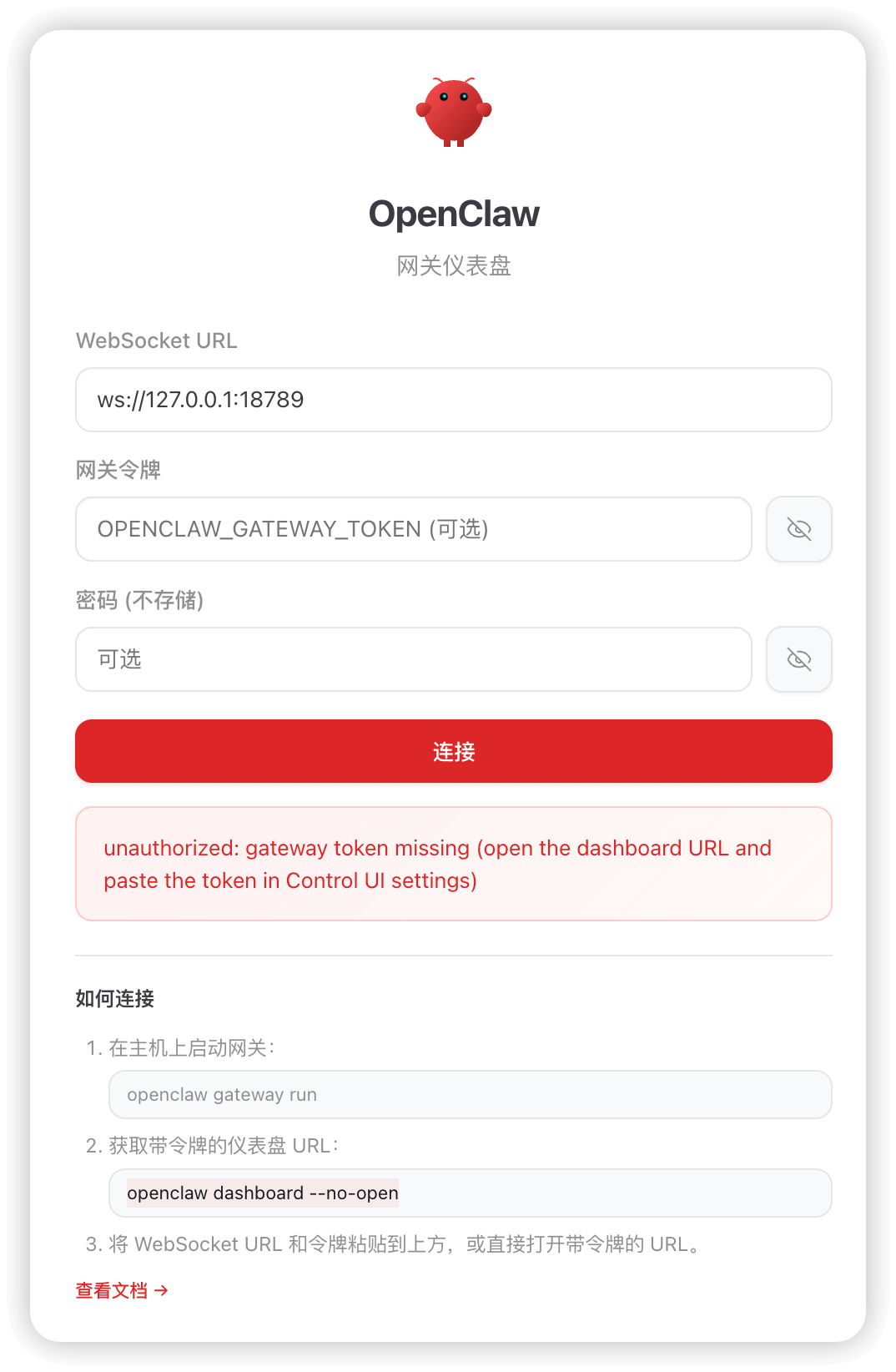
执行以下命令获取token,然后填入网关令牌处
openclaw dashboard --no-open
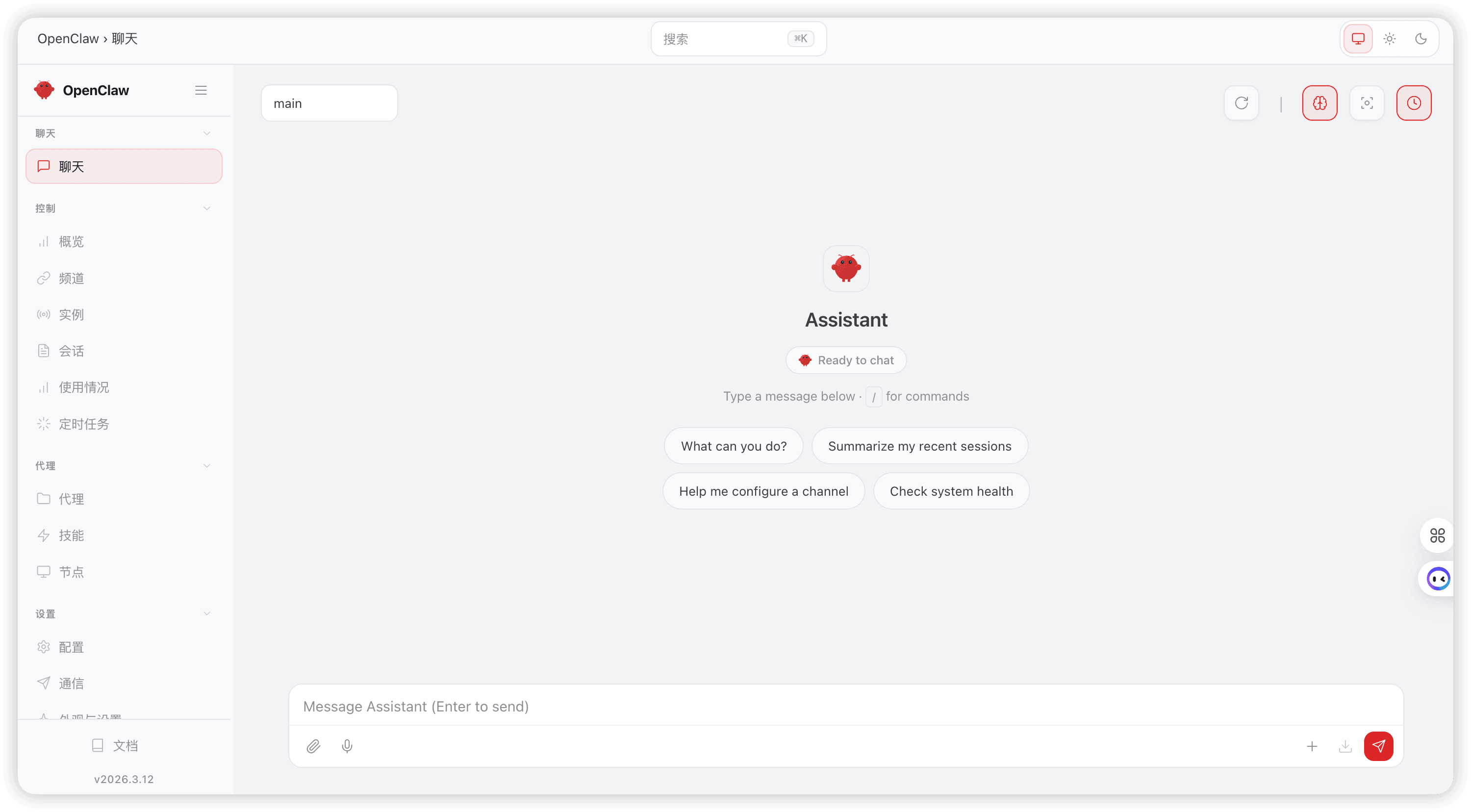
点击连接
nginx转发
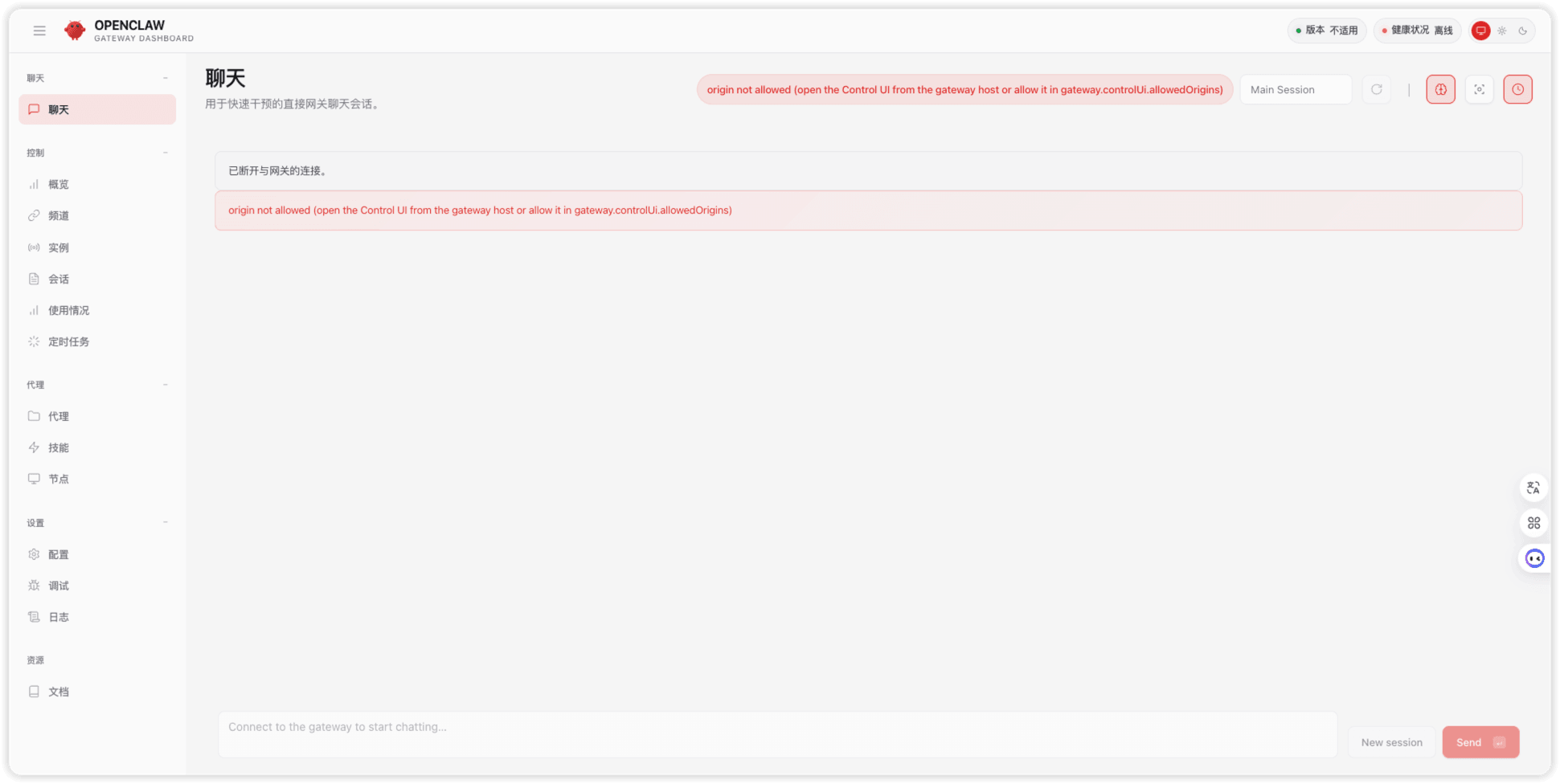
报错 origin not allowed (open the Control UI from the gateway host or allow it in gateway.controlUi.allowedOrigins)
解决方法
openclaw config set gateway.controlUi.allowedOrigins '["https://openclaw.pptfz.cn"]'
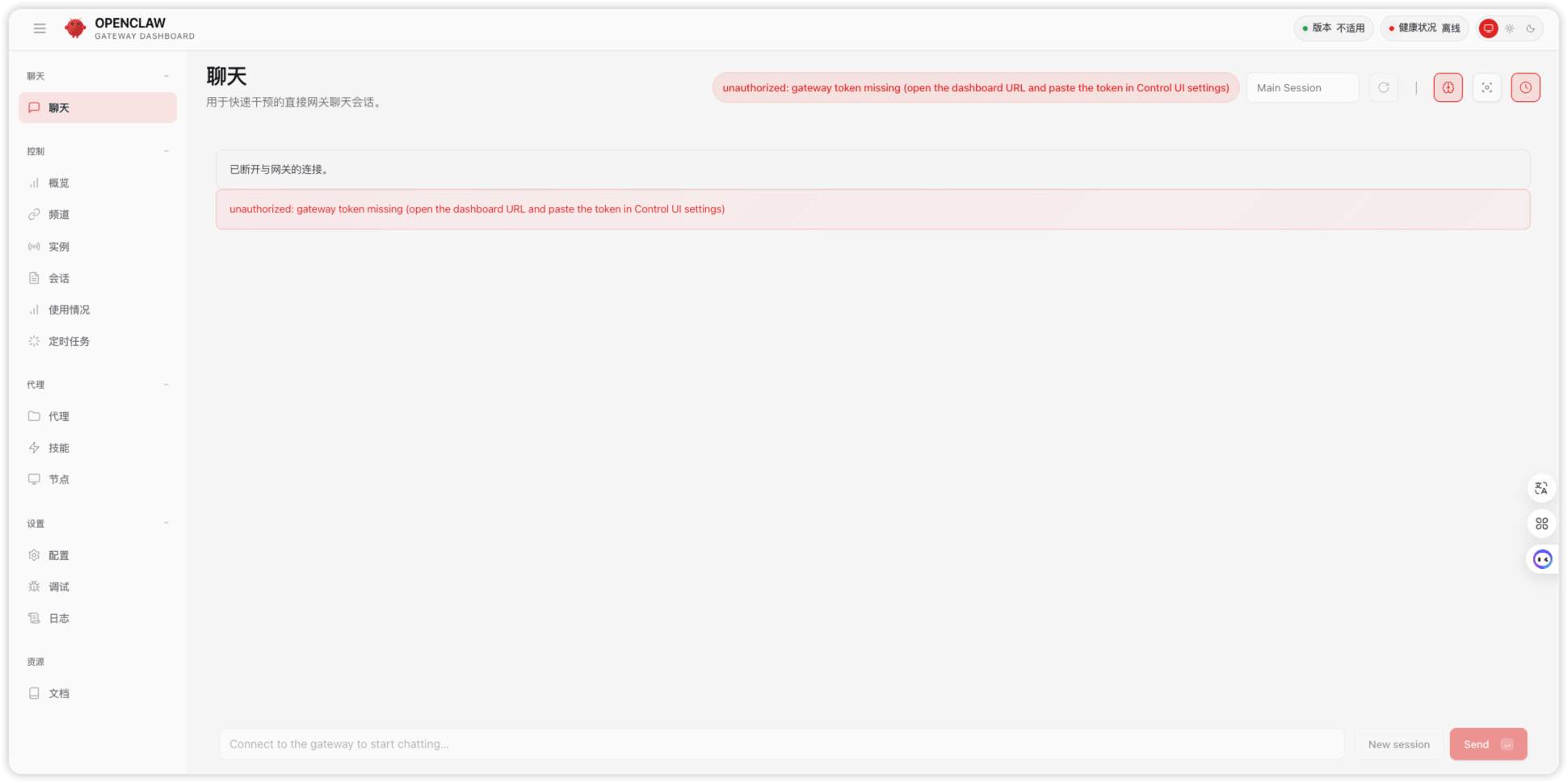
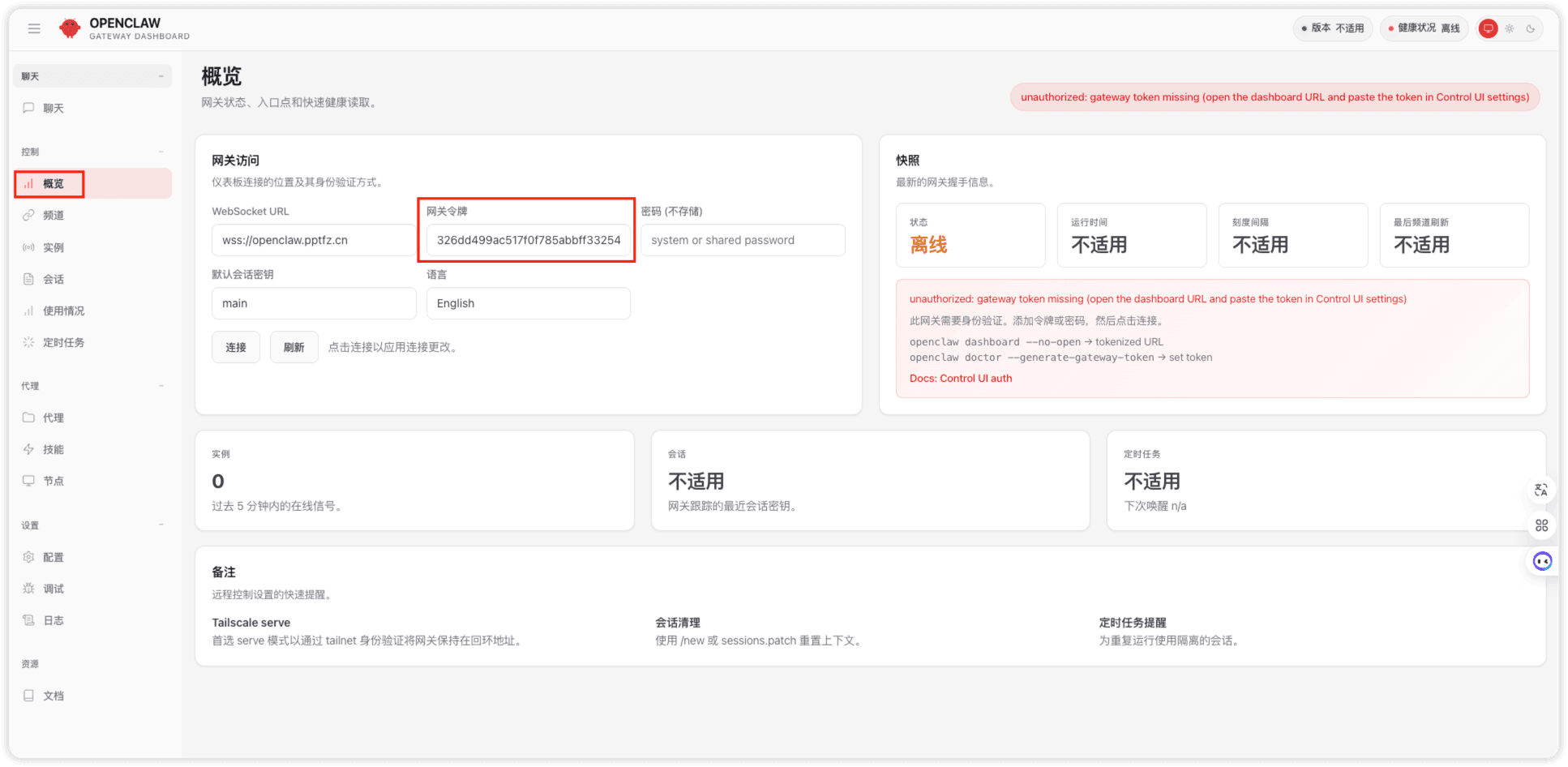
报错 unauthorized: gateway token missing (open the dashboard URL and paste the token in Control UI settings)
解决方法
运行以下命令获取token
openclaw dashboard --no-open
然后在 概览 -> 网关令牌
配置后提示 pairing required
查看未批准的设备请求
openclaw devices list
输出
🦞 OpenClaw 2026.3.11 (29dc654) — I can grep it, git blame it, and gently roast it—pick your coping mechanism.

│
◇
Pending (1)
┌──────────────────────────────────────┬─────────────────────────────────────────────────────────────────────────────────────────┬──────────┬────────────┬──────────┬────────┐
│ Request                              │ Device                                                                                  │ Role     │ IP         │ Age      │ Flags  │
├──────────────────────────────────────┼─────────────────────────────────────────────────────────────────────────────────────────┼──────────┼────────────┼──────────┼────────┤
│ 7cc695fd-8683-4ed6-b88c-035359dbb9ba │ 51ca254db2d4b1bf9ffe7e40a0bf6e5de7e6def4783bc022b4d49d3e23e119f4                        │ operator │            │ just now │        │
└──────────────────────────────────────┴─────────────────────────────────────────────────────────────────────────────────────────┴──────────┴────────────┴──────────┴────────┘
Paired (1)
┌─────────────────────────────────────────────────────────┬────────────┬───────────────────────────────────────────────────────────────────────────┬────────────┬────────────┐
│ Device                                                  │ Roles      │ Scopes                                                                    │ Tokens     │ IP         │
├─────────────────────────────────────────────────────────┼────────────┼───────────────────────────────────────────────────────────────────────────┼────────────┼────────────┤
│ c43c26ea48dbf5886331a1f83482ef94ec2c8434a6c7926b16e55a3 │ operator   │ operator.admin, operator.read, operator.write, operator.approvals,        │ operator   │            │
│ 0cd425adf                                               │            │ operator.pairing                                                          │            │            │
└─────────────────────────────────────────────────────────┴────────────┴───────────────────────────────────────────────────────────────────────────┴────────────┴────────────┘
获取 Pending 中显示的设备的 Request
openclaw devices approve <requestId>
输出
🦞 OpenClaw 2026.3.11 (29dc654) — Your config is valid, your assumptions are not.

│
◇
Approved 51ca254db2d4b1bf9ffe7e40a0bf6e5de7e6def4783bc022b4d49d3e23e119f4 (7cc695fd-8683-4ed6-b88c-035359dbb9ba)
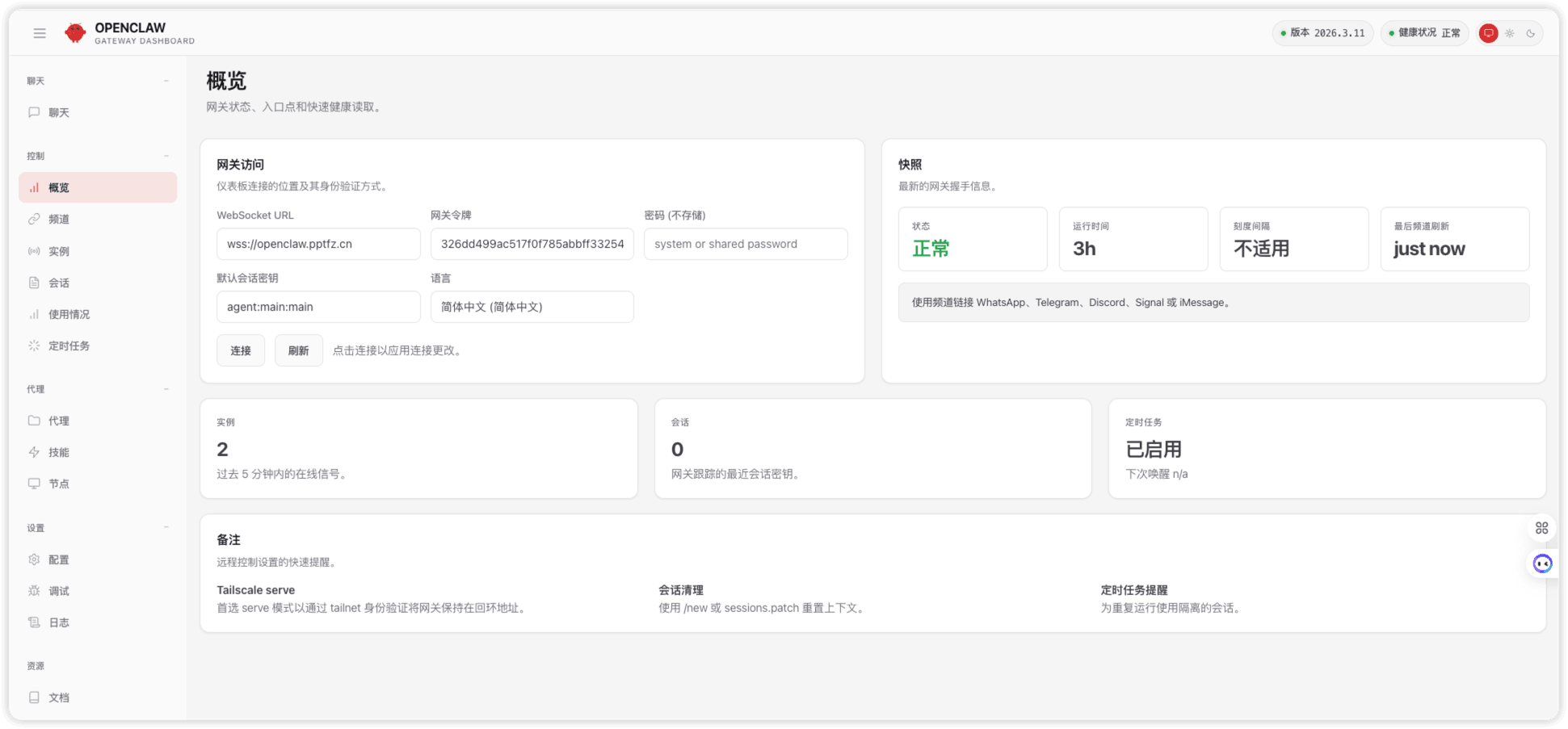
刷新浏览器后就显示正常了
nginx的配置如下
server {
    listen 80;
    server_name openclaw.pptfz.cn;

    client_max_body_size 0;

    return 301 https://$host$request_uri;
}

server {
    listen 443 ssl;
    server_name openclaw.pptfz.cn;

    ssl_certificate certs/openclaw/public.pem;
    ssl_certificate_key certs/openclaw/private.key;
    ssl_protocols TLSv1.2 TLSv1.3;

    client_max_body_size 0;
    auth_basic "Restricted OpenClaw Dashboard";
    auth_basic_user_file /usr/local/nginx/conf/openclaw_passwd;

    access_log /var/log/openclaw/openclaw.pptfz.cn.access.log;
    error_log  /var/log/openclaw/openclaw.pptfz.cn.error.log;

    location / {
        proxy_pass http://127.0.0.1:18789;

        proxy_http_version 1.1;
        proxy_buffering off;

        # 关键:WebSocket支持
        proxy_set_header Upgrade $http_upgrade;
        proxy_set_header Connection "upgrade";

        proxy_set_header Host $host;
        proxy_set_header X-Real-IP $remote_addr;
        proxy_set_header X-Forwarded-For $proxy_add_x_forwarded_for;
        proxy_set_header X-Forwarded-Proto $scheme;

        proxy_read_timeout 3600;
        proxy_send_timeout 3600;

        proxy_redirect off;
    }
}