本地k8s环境使用gitea说明
环境说明
- 集群安装方式:
kubeadm - K8s 版本:1.30+
- 外部网络负载:使用 MetalLB 提供 LoadBalancer
- 服务:gitea
- HTTP/HTTPS:
gitea.ops.com(web访问) - SSH:
gitea-ssh.ops.com:2222(git push/pull)
- HTTP/HTTPS:
部署使用说明
values.yaml 中gitea的ssh端口配置为 LoadBalancer 类型,端口为 2222,并且手动指定 loadBalancerIP
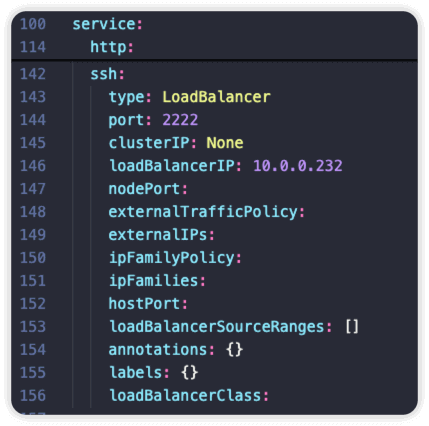
配置
说明
不能使用 git@gitea.ops.com:devops/cmdb.git
需要使用 ssh://git@gitea-ssh.ops.com:2222/devops/cmdb.git
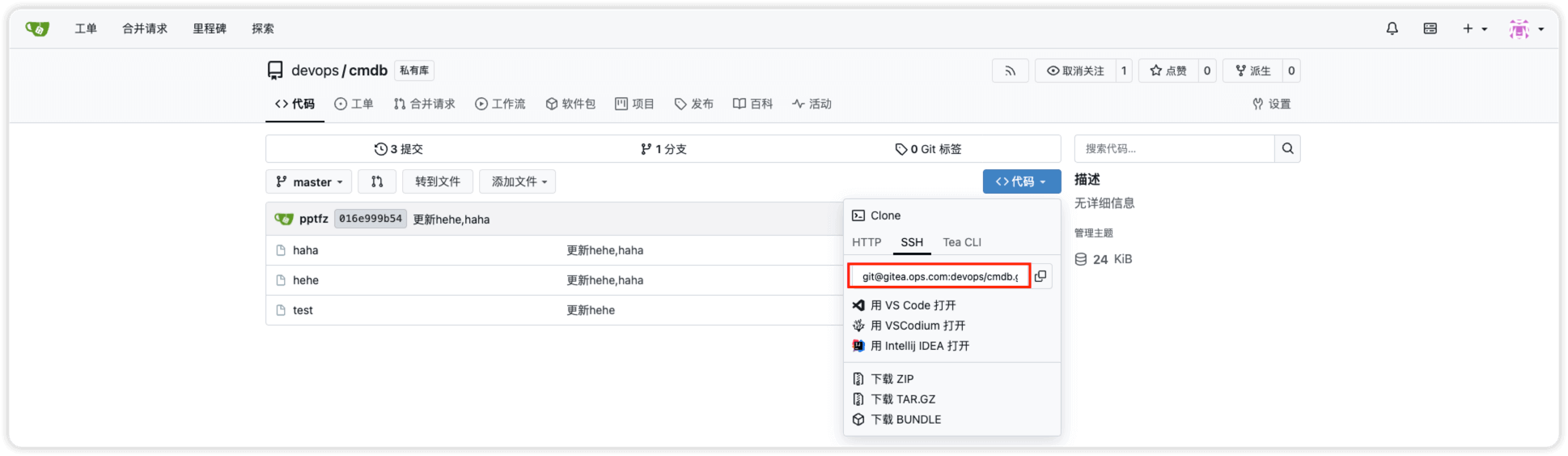
git remote add origin ssh://git@gitea-ssh.ops.com:2222/devops/cmdb.git
可以使用如下命令验证连接
$ ssh -T -p 2222 git@gitea-ssh.ops.com
Hi there, gitea_admin! You've successfully authenticated with the key named pptfz@devops, but Gitea does not provide shell access.
If this is unexpected, please log in with password and setup Gitea under another user.