[toc]
gitlab安装
rpm包安装
安装依赖包
# 安装依赖包
yum -y install curl openssh-server openssh-clients postfix cronie policycoreutils-python

# 启动postfix
systemctl start postfix && systemctl enable postfix
下载安装包
也可以从 清华源 下载
export VERSION=17.4.0
wget --content-disposition https://packages.gitlab.com/gitlab/gitlab-ce/packages/el/7/gitlab-ce-${VERSION}-ce.0.el7.x86_64.rpm/download.rpm
安装
如需卸载可以参考 官方文档
yum -y localinstall gitlab-ce-${VERSION}-ce.0.el7.x86_64.rpm
修改配置文件
修改 /etc/gitlab/gitlab.rb 中 xternal_url 一行,修改为自己的域名或IP
export DOMAIN=10.0.0.100
sed -i.bak "/^external_url/c external_url 'http://$DOMAIN'" /etc/gitlab/gitlab.rb
启动gitlab
# 启动gitlab
gitlab-ctl start

# 重载gitlab配置文件
gitlab-ctl reconfigure

# 设置gitlab开机自启
systemctl enable gitlab-runsvdir.service
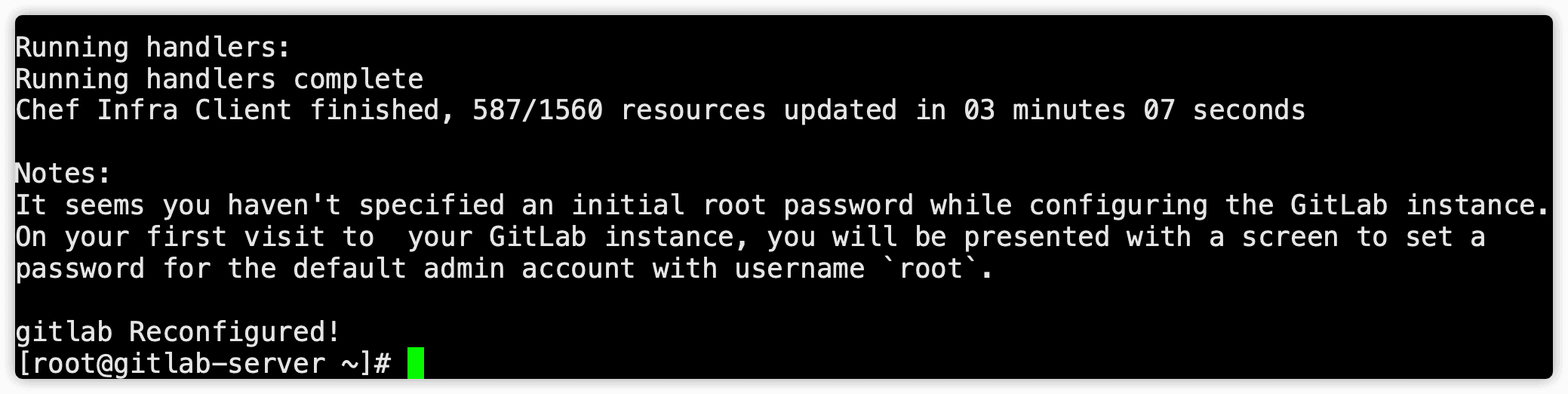
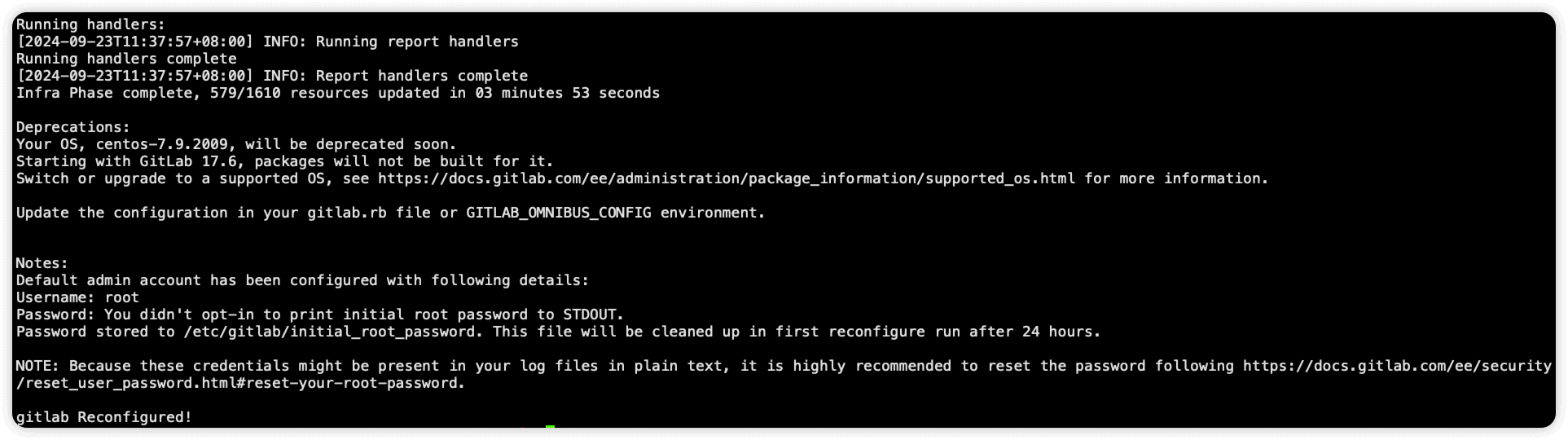
重载配置文件成功提示如下
低版本
高版本
gitlab启动的端口
$ netstat -ntpl
Active Internet connections (only servers)
Proto Recv-Q Send-Q Local Address           Foreign Address         State       PID/Program name
tcp        0      0 127.0.0.1:8082          0.0.0.0:*               LISTEN      3276/sidekiq 5.2.9
tcp        0      0 127.0.0.1:9236          0.0.0.0:*               LISTEN      3770/gitaly
tcp        0      0 0.0.0.0:22              0.0.0.0:*               LISTEN      969/sshd
tcp        0      0 127.0.0.1:3000          0.0.0.0:*               LISTEN      3926/grafana-server
tcp        0      0 127.0.0.1:25            0.0.0.0:*               LISTEN      1194/master
tcp        0      0 0.0.0.0:8060            0.0.0.0:*               LISTEN      3330/nginx: master
tcp        0      0 127.0.0.1:9121          0.0.0.0:*               LISTEN      3815/redis_exporter
tcp        0      0 127.0.0.1:9090          0.0.0.0:*               LISTEN      3897/prometheus
tcp        0      0 127.0.0.1:9187          0.0.0.0:*               LISTEN      3919/postgres_expor
tcp        0      0 127.0.0.1:9093          0.0.0.0:*               LISTEN      3911/alertmanager
tcp        0      0 127.0.0.1:9100          0.0.0.0:*               LISTEN      3791/node_exporter
tcp        0      0 127.0.0.1:9229          0.0.0.0:*               LISTEN      3778/gitlab-workhor
tcp        0      0 0.0.0.0:111             0.0.0.0:*               LISTEN      701/rpcbind
tcp        0      0 127.0.0.1:9168          0.0.0.0:*               LISTEN      3802/ruby
tcp        0      0 127.0.0.1:8080          0.0.0.0:*               LISTEN      3253/puma 5.1.1 (un
tcp        0      0 0.0.0.0:80              0.0.0.0:*               LISTEN      3330/nginx: master
tcp6       0      0 :::22                   :::*                    LISTEN      969/sshd
tcp6       0      0 ::1:25                  :::*                    LISTEN      1194/master
tcp6       0      0 :::9094                 :::*                    LISTEN      3911/alertmanager
tcp6       0      0 :::111                  :::*                    LISTEN      701/rpcbind
tcp6       0      0 ::1:9168                :::*                    LISTEN      3802/ruby
yum安装
安装并配置必要的依赖项
安装依赖包
yum -y install curl policycoreutils-python openssh-server perl
安装 Postfix(或 Sendmail)来发送通知邮件。如果您想使用其他解决方案发送电子邮件,请跳过此步骤
yum -y install postfix
systemctl enable postfix
systemctl start postfix
添加官方yum源
curl https://packages.gitlab.com/install/repositories/gitlab/gitlab-ce/script.rpm.sh | sudo bash
安装
# 默认安装最新版
sudo EXTERNAL_URL="https://gitlab.example.com" yum -y install gitlab-ce

# 安装指定版本
sudo EXTERNAL_URL="https://gitlab.example.com" yum -y install gitlab-ce-13.12.3
gitlab启动的端口
$ netstat -ntpl
Active Internet connections (only servers)
Proto Recv-Q Send-Q Local Address           Foreign Address         State       PID/Program name
tcp        0      0 127.0.0.1:9236          0.0.0.0:*               LISTEN      3581/gitaly
tcp        0      0 0.0.0.0:22              0.0.0.0:*               LISTEN      1254/sshd
tcp        0      0 127.0.0.1:3000          0.0.0.0:*               LISTEN      3671/grafana-server
tcp        0      0 127.0.0.1:25            0.0.0.0:*               LISTEN      1181/master
tcp        0      0 0.0.0.0:5050            0.0.0.0:*               LISTEN      3098/nginx: master
tcp        0      0 0.0.0.0:443             0.0.0.0:*               LISTEN      3098/nginx: master
tcp        0      0 0.0.0.0:8060            0.0.0.0:*               LISTEN      3098/nginx: master
tcp        0      0 127.0.0.1:9121          0.0.0.0:*               LISTEN      3636/redis_exporter
tcp        0      0 127.0.0.1:9090          0.0.0.0:*               LISTEN      3641/prometheus
tcp        0      0 127.0.0.1:9187          0.0.0.0:*               LISTEN      3665/postgres_expor
tcp        0      0 127.0.0.1:9093          0.0.0.0:*               LISTEN      3658/alertmanager
tcp        0      0 127.0.0.1:5000          0.0.0.0:*               LISTEN      3599/registry
tcp        0      0 127.0.0.1:9100          0.0.0.0:*               LISTEN      3629/node_exporter
tcp        0      0 127.0.0.1:9229          0.0.0.0:*               LISTEN      3587/gitlab-workhor
tcp        0      0 0.0.0.0:111             0.0.0.0:*               LISTEN      588/rpcbind
tcp        0      0 127.0.0.1:9168          0.0.0.0:*               LISTEN      3634/ruby
tcp        0      0 127.0.0.1:8080          0.0.0.0:*               LISTEN      2922/puma 5.1.1 (un
tcp        0      0 0.0.0.0:80              0.0.0.0:*               LISTEN      3098/nginx: master
tcp        0      0 127.0.0.1:8082          0.0.0.0:*               LISTEN      2943/sidekiq 5.2.9
tcp6       0      0 :::22                   :::*                    LISTEN      1254/sshd
tcp6       0      0 ::1:25                  :::*                    LISTEN      1181/master
tcp6       0      0 :::9094                 :::*                    LISTEN      3658/alertmanager
tcp6       0      0 :::111                  :::*                    LISTEN      588/rpcbind
tcp6       0      0 ::1:9168                :::*                    LISTEN      3634/ruby
关闭https自动重定向
使用gitlab-ce官方提供的脚本安装后,gitlab-ce会默认开启 http->https 重定向,如果使用nginx做代理则需要关闭https自动重定向
编辑 /etc/gitlab/gitlab.rb 文件,取消以下行的注释
nginx['redirect_http_to_https'] = false
重载配置文件
gitlab-ctl reconfigure
docker安装
使用docker engine安装
创建目录 设置环境变量
mkdir -p /data/docker-volume/gitlab
export GITLAB_HOME=/data/docker-volume/gitlab
export GITLAB_VERSION=18.2.5
export GITLAB_HOSTNAME=gitlab.example.com
export GITLAB_DOMAIN=gitlab.example.com
启动容器
docker run --detach \
   --hostname $GITLAB_HOSTNAME \
   --env GITLAB_OMNIBUS_CONFIG="external_url 'http://$GITLAB_DOMAIN'" \
   --publish 443:443 --publish 80:80 --publish 22:22 \
   --name gitlab \
   --restart always \
   --volume $GITLAB_HOME/config:/etc/gitlab \
   --volume $GITLAB_HOME/logs:/var/log/gitlab \
   --volume $GITLAB_HOME/data:/var/opt/gitlab \
   --shm-size 256m \
   gitlab/gitlab-ce:${GITLAB_VERSION}-ce.0
使用docker-compose安装
创建目录 设置环境变量
mkdir -p /data/docker-volume/gitlab
export GITLAB_VERSION=18.2.5
export GITLAB_HOSTNAME=gitlab.example.com
export GITLAB_DOMAIN=gitlab.example.com
export GITLAB_HOME=/data/docker-volume/gitlab
编辑docker-compose.yml文件
默认 https 和 ssh 端口
# 自行修改相对应的域名、映射的端口、挂载的卷
cat > docker-compose.yml <<EOF
services:
  gitlab:
    image: gitlab/gitlab-ce:${GITLAB_VERSION}-ce.0
    container_name: gitlab
    restart: always
    hostname: '$GITLAB_HOSTNAME'
    environment:
      GITLAB_OMNIBUS_CONFIG: |
        # Add any other gitlab.rb configuration here, each on its own line
        external_url 'https://$GITLAB_DOMAIN'
    ports:
      - '80:80'
      - '443:443'
      - '22:22'
    volumes:
      - '$GITLAB_HOME/config:/etc/gitlab'
      - '$GITLAB_HOME/logs:/var/log/gitlab'
      - '$GITLAB_HOME/data:/var/opt/gitlab'
    shm_size: '256m'
EOF
自定义 http 和 ssh 端口
# 自行修改相对应的域名、映射的端口、挂载的卷
cat > docker-compose.yml <<EOF
services:
  gitlab:
    image: gitlab/gitlab-ce:${GITLAB_VERSION}-ce.0
    container_name: gitlab
    restart: always
    hostname: '$GITLAB_HOSTNAME'
    environment:
      GITLAB_OMNIBUS_CONFIG: |
        external_url 'http://$GITLAB_DOMAIN:8929'
        gitlab_rails['gitlab_shell_ssh_port'] = 2424
    ports:
      - '8929:8929'
      - '443:443'
      - '2424:22'
    volumes:
      - '$GITLAB_HOME/config:/etc/gitlab'
      - '$GITLAB_HOME/logs:/var/log/gitlab'
      - '$GITLAB_HOME/data:/var/opt/gitlab'
    shm_size: '256m'
EOF
启动
docker-compose up -d
查看启动的容器
$ docker ps -a
CONTAINER ID   IMAGE                     COMMAND             CREATED         STATUS                   PORTS                                                                                                           NAMES
a9ed8420da5d   gitlab/gitlab-ce:latest   "/assets/wrapper"   3 minutes ago   Up 3 minutes (healthy)   0.0.0.0:80->80/tcp, :::80->80/tcp, 0.0.0.0:443->443/tcp, :::443->443/tcp, 0.0.0.0:222->22/tcp, :::222->22/tcp   gitlab
访问gitlab
gitlab默认端口为80,第一次访问需要设置root密码,最少8位
GitLab 16 及以上版本不再手动设置密码,安装时会自动生成随机初始 root 密码,存放在 /etc/gitlab/initial_root_password
- 该密码仅 24 小时内有效,且第一次执行
gitlab-ctl reconfigure后文件会被删除 - 登录后应及时修改密码
查看初始root密码
# 容器里看
docker exec -it gitlab cat /etc/gitlab/initial_root_password

# 宿主机直接看(docker安装挂载了config目录时)
cat $GITLAB_HOME/config/initial_root_password
密码过期或文件已删除时,重置root密码
docker exec -it gitlab gitlab-rake "gitlab:password:reset[root]"
安装时指定初始root密码(可选)
GITLAB_OMNIBUS_CONFIG 中添加如下配置
gitlab_rails['initial_root_password'] = '你的密码'
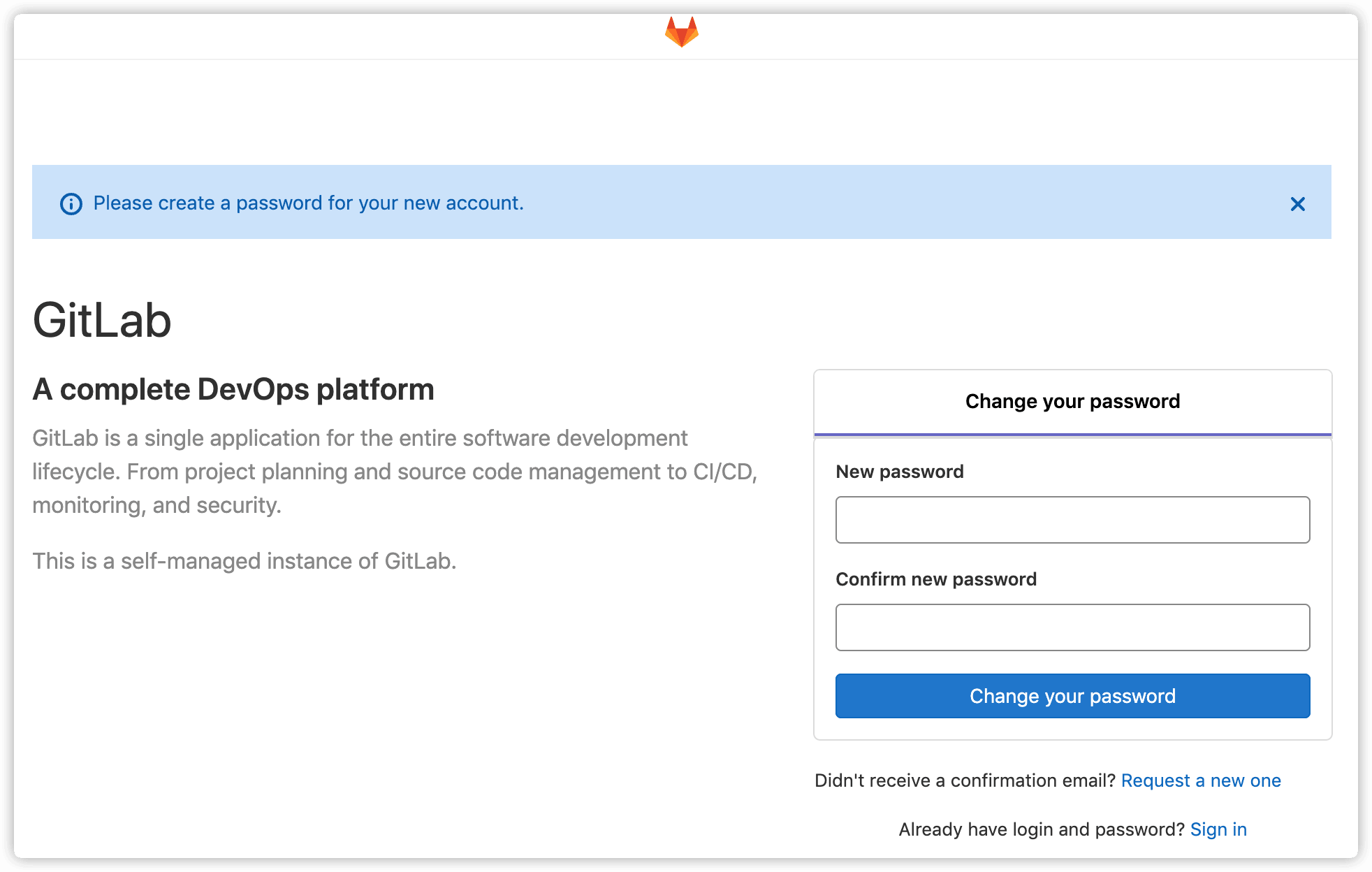
初始页面
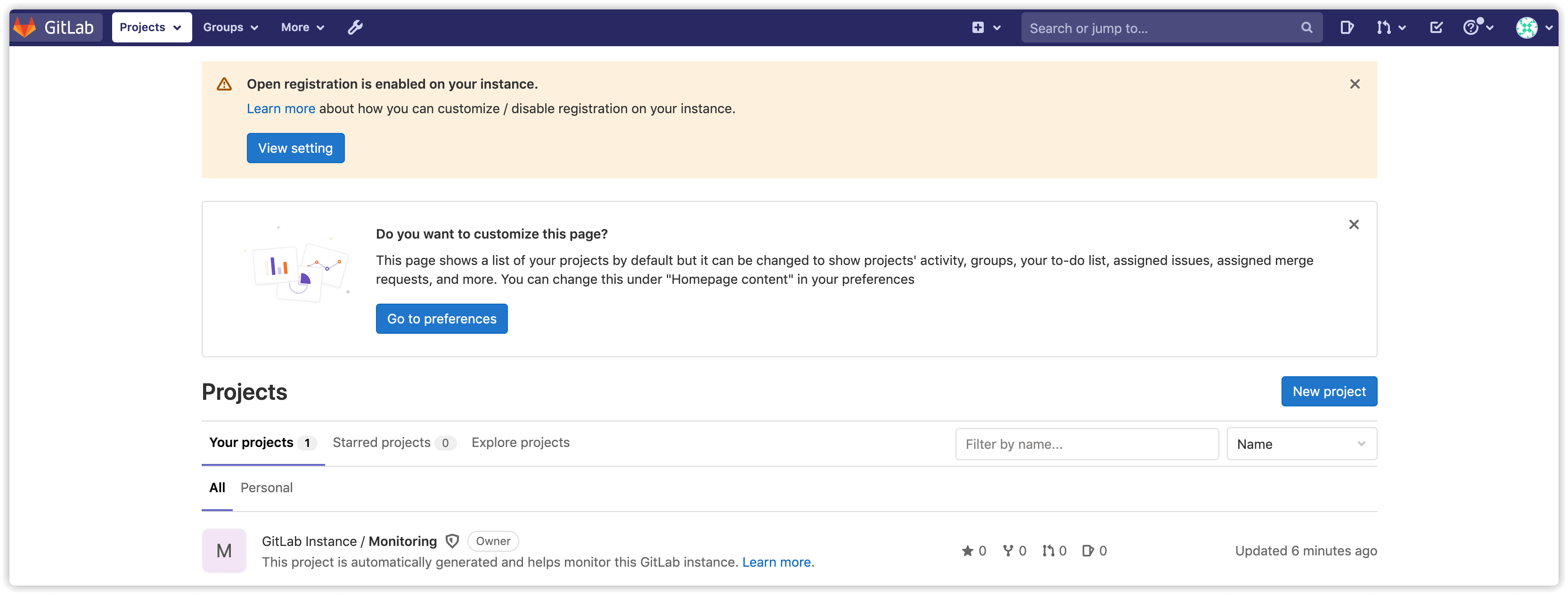
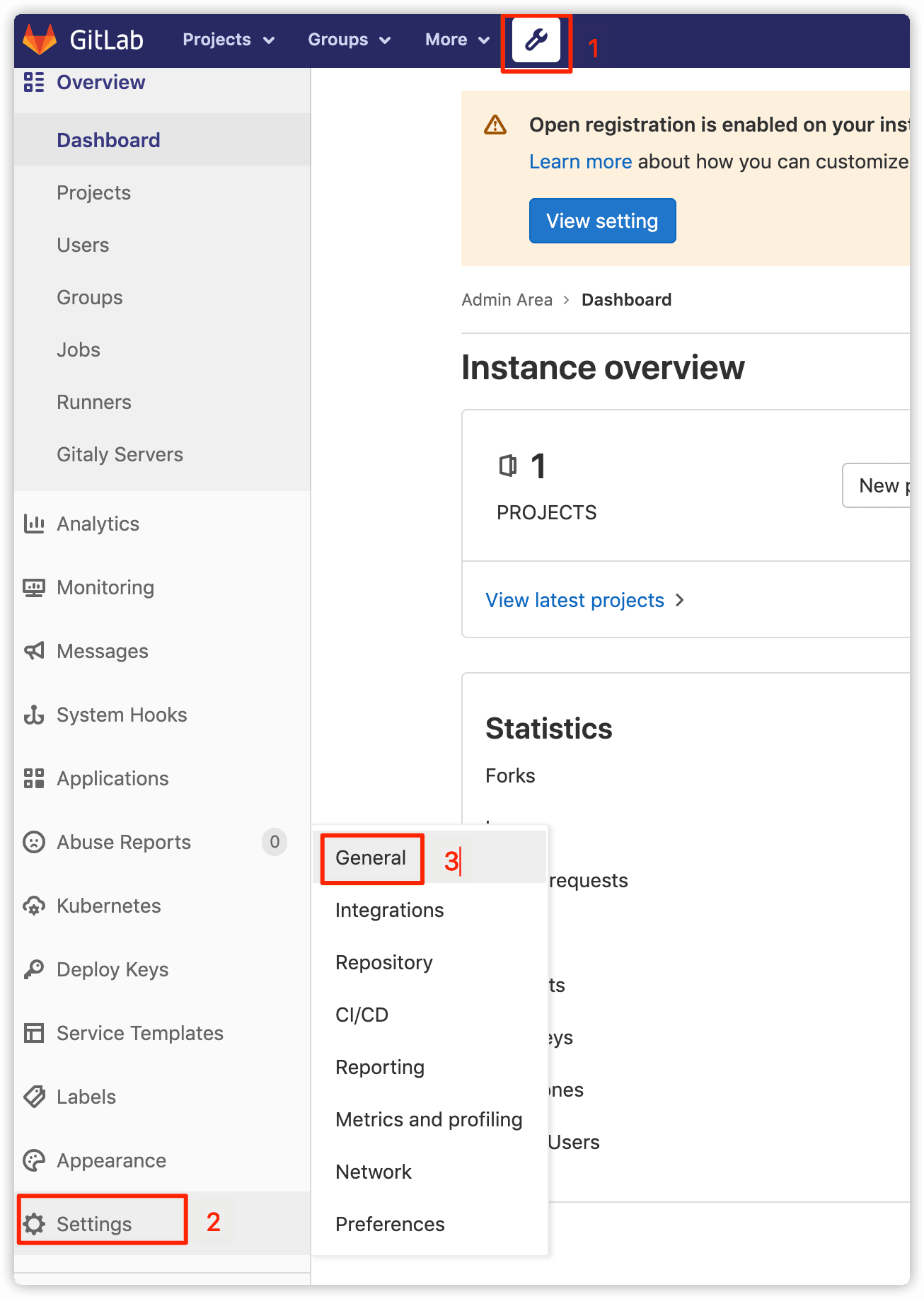
这里的警告为gitlab默认开启了开放注册,点击 learn more 查看关闭方法

点击 Admin Area -> Settings -> General -> Sign-up restrictions
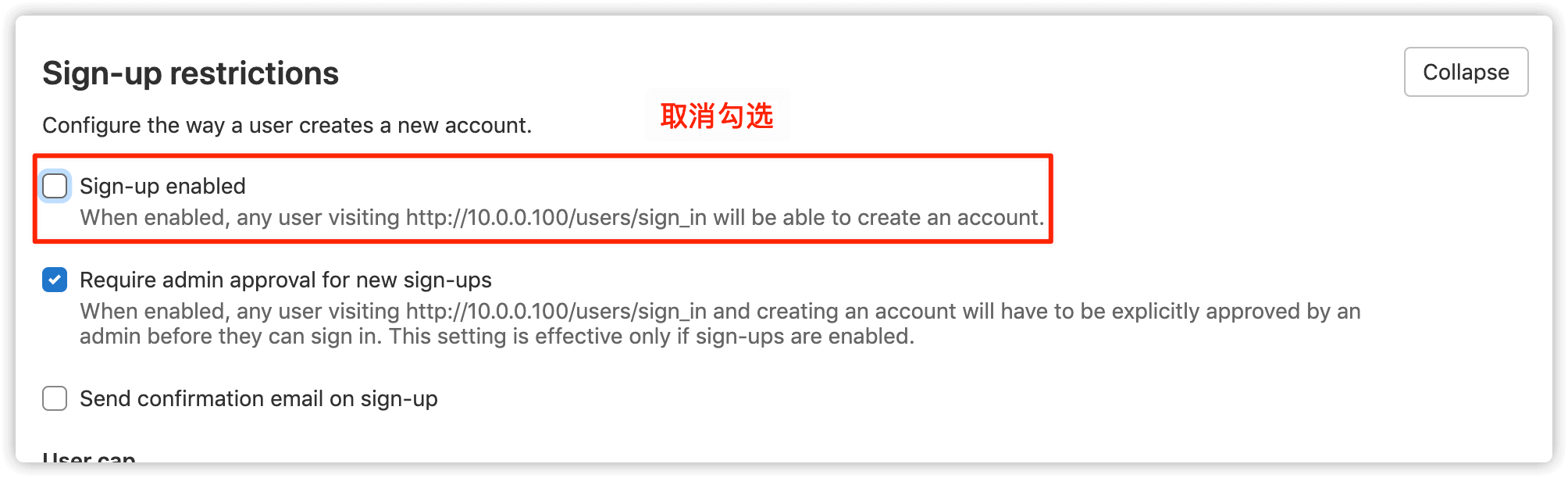
取消勾选 Sign-up enabled ,保存即可
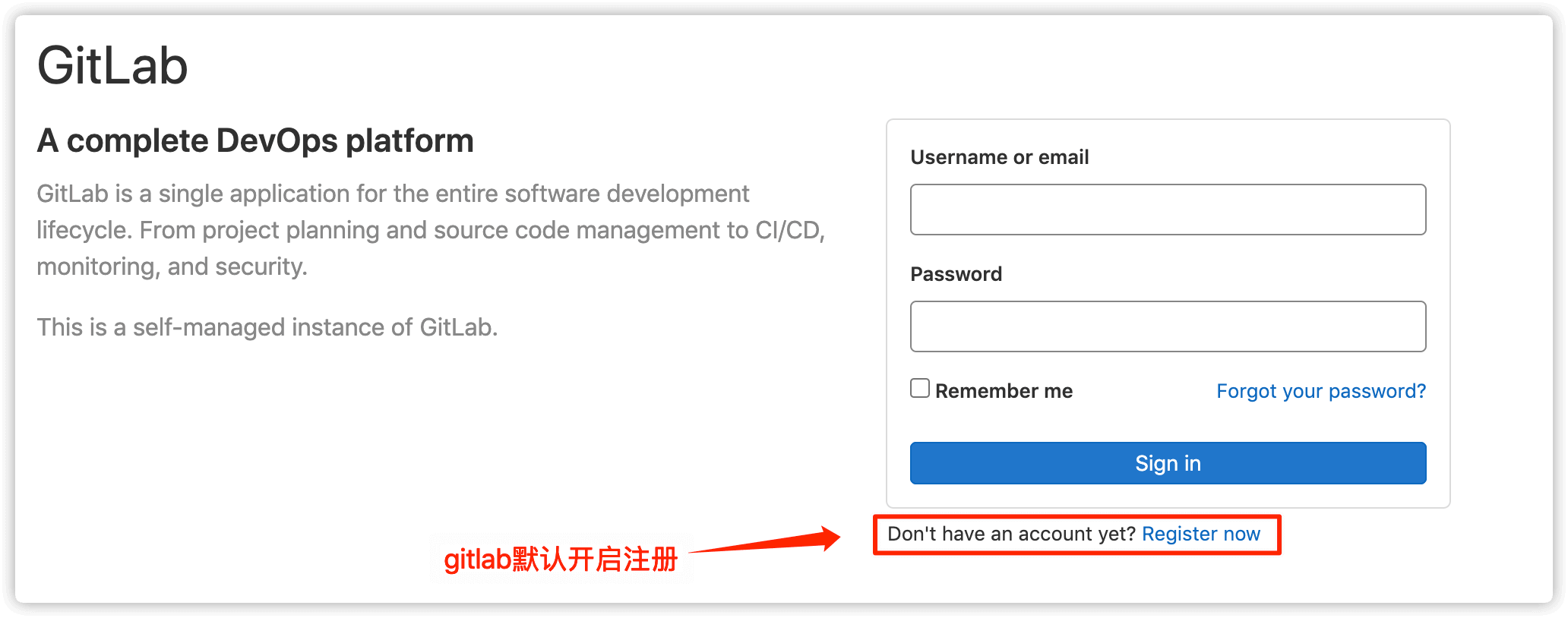
gitlab默认开启注册
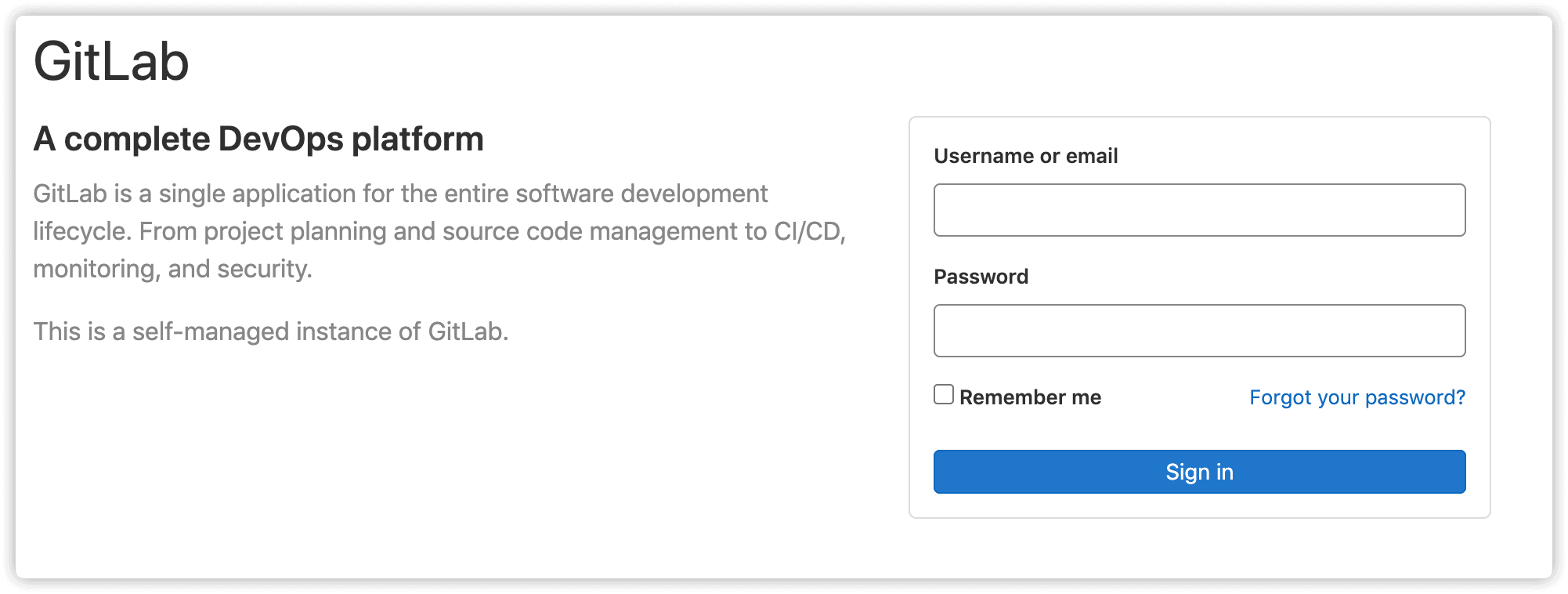
关闭后
gitlab相关文件、命令、服务
gitlab相关文件
gitlab相关文件路径说明
| 路径 | 说明 |
|---|---|
/opt/gitlab | gitlab的程序安装目录 |
/var/opt/gitlab | gitlab目录数据目录 |
/var/opt/gitlab/git-data/repositories | 存放仓库数据 |
/etc/gitlab/gitlab.rb | 主配置文件 |
/var/opt/gitlab/nginx/conf/gitlab-http.conf | nginx配置文件 |
/var/opt/gitlab/postgresql/data | Postgresql数据目录 |
gitlab相关命令
运维管理命令
| 命令 | 说明 |
|---|---|
cat /opt/gitlab/embedded/service/gitlab-rails/VERSION | 查看版本 |
服务控制命令
| 命令 | 说明 |
|---|---|
gitlab-ctl status | 查看目前gitlab所有服务运维状态 |
gitlab-ctl start/stop/restart | 启动/停止/重启所有 gitlab 组件 |
gitlab-ctl start/stop nginx | 单独启动/停止某个服务 |
gitlab-ctl reconfigure | 重载配置文件 |
日志相关命令
| 命令 | 说明 |
|---|---|
gitlab-ctl tail | 实时查看所有日志 |
gitlab-ctl tail redis/postgresql/gitlab-workhorse/logrotate/nginx/sidekiq/unicorn | 实时查看各服务日志 |
gitlab相关服务
运行命令 gitlab-ctl status 查看gitlab所有服务
$ gitlab-ctl status
run: alertmanager: (pid 3911) 54193s; run: log: (pid 3614) 54248s
run: gitaly: (pid 3804) 54195s; run: log: (pid 3031) 54349s
run: gitlab-exporter: (pid 3802) 54195s; run: log: (pid 3393) 54268s
run: gitlab-workhorse: (pid 3778) 54196s; run: log: (pid 3307) 54286s
run: grafana: (pid 3926) 54192s; run: log: (pid 3735) 54210s
run: logrotate: (pid 16507) 1784s; run: log: (pid 2874) 54363s
run: nginx: (pid 3330) 54281s; run: log: (pid 3348) 54279s
run: node-exporter: (pid 3791) 54196s; run: log: (pid 3377) 54274s
run: postgres-exporter: (pid 3919) 54192s; run: log: (pid 3644) 54243s
run: postgresql: (pid 3067) 54346s; run: log: (pid 3099) 54343s
run: prometheus: (pid 3897) 54194s; run: log: (pid 3446) 54256s
run: puma: (pid 3253) 54300s; run: log: (pid 3266) 54297s
run: redis: (pid 2896) 54358s; run: log: (pid 2913) 54355s
run: redis-exporter: (pid 3815) 54194s; run: log: (pid 3412) 54262s
run: sidekiq: (pid 3271) 54294s; run: log: (pid 3286) 54291s
| 服务名 | 默认监听端口 | 说明 |
|---|---|---|
alertmanager | TCP:9093 | 告警工具 |
gitaly | TCP:9236 | 提供集群功能 |
gitlab-exporter | --- | 监控gitlab指标 |
gitlab-workhorse | TCP:9229 | gitlab反向代理,处理文件上传、下载,git推拉等操作 |
grafana | TCP:3000 | 出图工具 |
logrotate | --- | 日志切割 |
nginx | TCP:80 | 静态web服务器 |
node-exporter | TCP:9100 | Prometheus用来监控服务器指标 |
postgres-exporter | TCP:9187 | 导出PostgreSQL指标 |
postgresql | UDP:60387 | 默认数据库 |
prometheus | TCP:9090 | 监控 |
puma | TCP:8080 | 默认的web服务器 |
redis | --- | 缓存服务 |
redis-exporter | TCP:9121 | 监控redis |
sidekiq | TCP:8082 | 依赖redis的消息队列 |